

Subliminals Pro
Free software for windows
by Tom Brett
Flash your own custom subliminal messages on screen, in the blink of an eye.
For effortless encouragement or reinforcement.
Subliminals Pro is a lightweight Windows system tray app that briefly flashes your
chosen words, such as affirmations, goals or reminders, at random spots on
your desktop while you work or play. It never steals focus or gets in your way.
Features
– Your own custom messages
– Adjustable timing, display speed, font, size, colour and opacity
– Random position, size and colour
– Start/stop hotkeys that work alongside any program
– Starts with Windows (optional)
– Multi-monitor support
– Zero interference with other apps.
Screenshot:
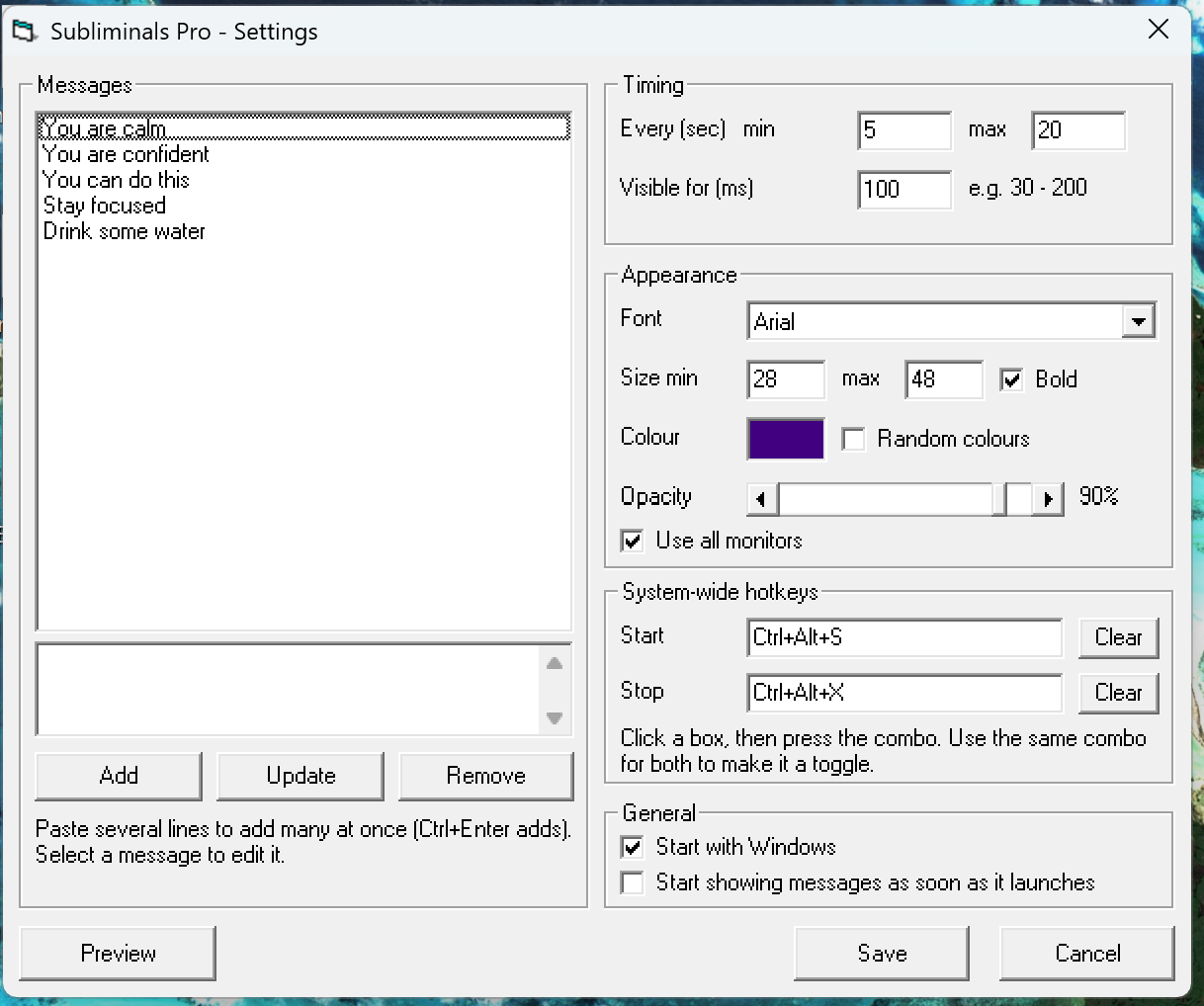
Requirements: Windows Vista, 7, 8, 10 or 11
How to use :
Download the installer at 
Follow the basic standard step-by-step installation wizard.
Launch Subliminals Pro (usually via icon on desktop). An eye icon appears in the system tray.
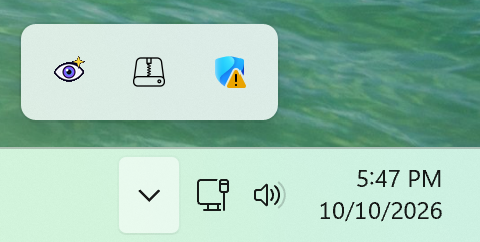 (bottom right of windows).
Double-click the icon, add your messages, configure and click Save.
Press Ctrl+Alt+S to start and Ctrl+Alt+X to stop.
Right-click the icon for Start, Stop, Settings and Exit.
Warning: Contains brief flashing images. Not recommended for people with
photosensitive epilepsy.
Direct Download link :
https://cando-attitude.com/subliminalssetup.exe
Declared virus free by [VirusTotal.com]
Or just
to download and begin!
Subliminals Pro has been downloaded times to date (Sat 10th October 2026).